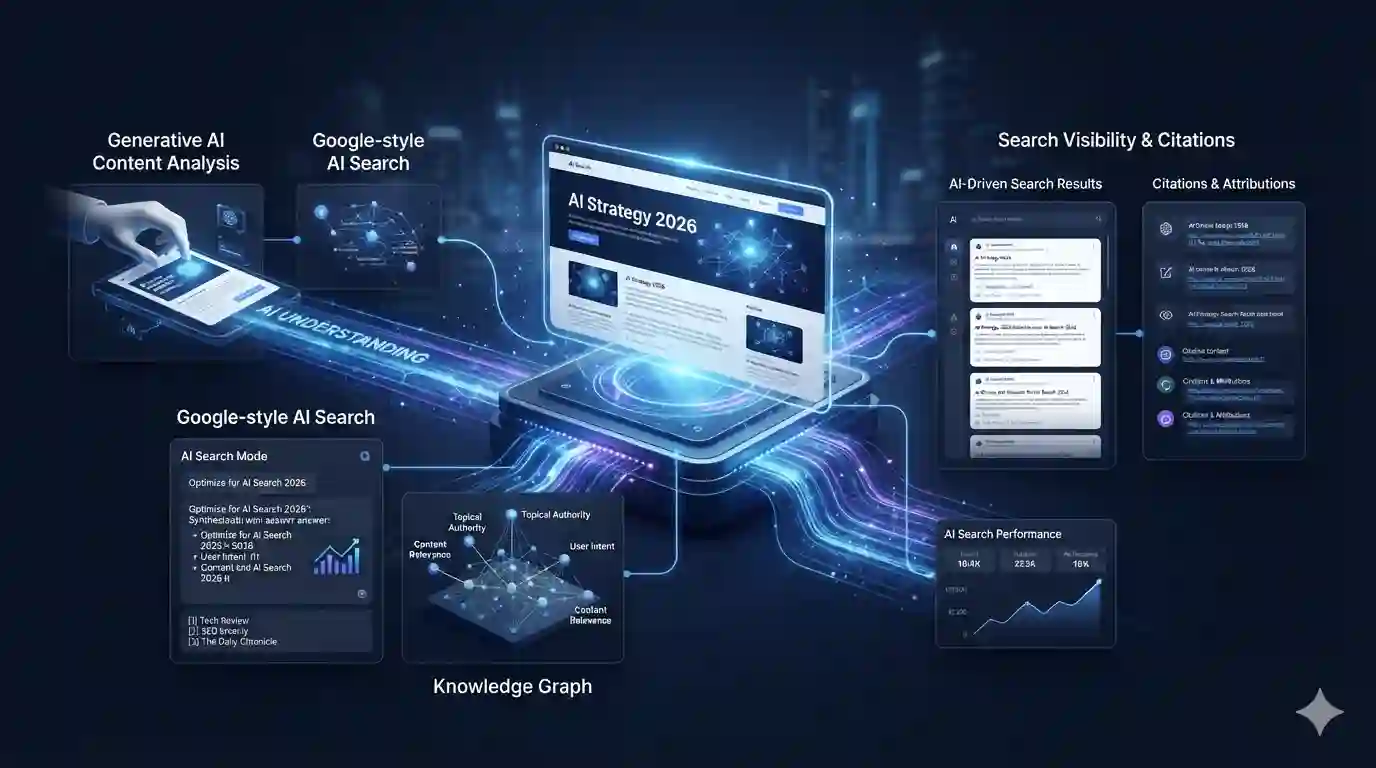


Artificial intelligence is moving beyond simple chatbots and content-generation tools.
In 2026, businesses are increasingly connecting AI systems with software, company data and automated workflows. Instead of simply asking AI to generate an answer, organizations can use AI to help analyze information, make decisions, create outputs and move work between different systems.
This shift is often described as AI automation.
The concept is particularly important because AI is becoming more capable of handling longer and more complicated tasks. OpenAI, for example, describes the transition from short AI interactions toward agents capable of working on longer-horizon tasks and orchestrating tool calls.
At the same time, enterprise adoption is moving from AI assistance toward execution, with companies increasingly connecting AI systems to internal context, tools and repeatable workflows.
So what exactly is AI automation, and how can businesses use it?
Let’s explore.
What Is AI Automation?
AI automation is the use of artificial intelligence to perform, coordinate or improve business tasks with limited manual intervention.
Traditional automation normally follows predefined rules.
For example:
If a customer submits a form → send an email.
AI automation can introduce more flexibility.
For example:
A customer submits a complicated request → AI understands the request → determines its category → retrieves relevant information → prepares a response → sends it for approval or completes the appropriate workflow.
The difference is important.
Traditional automation generally depends heavily on predefined conditions.
AI automation can use AI models to interpret information and handle tasks that involve language, documents, images, decisions or changing context.
AI Automation vs Traditional Automation
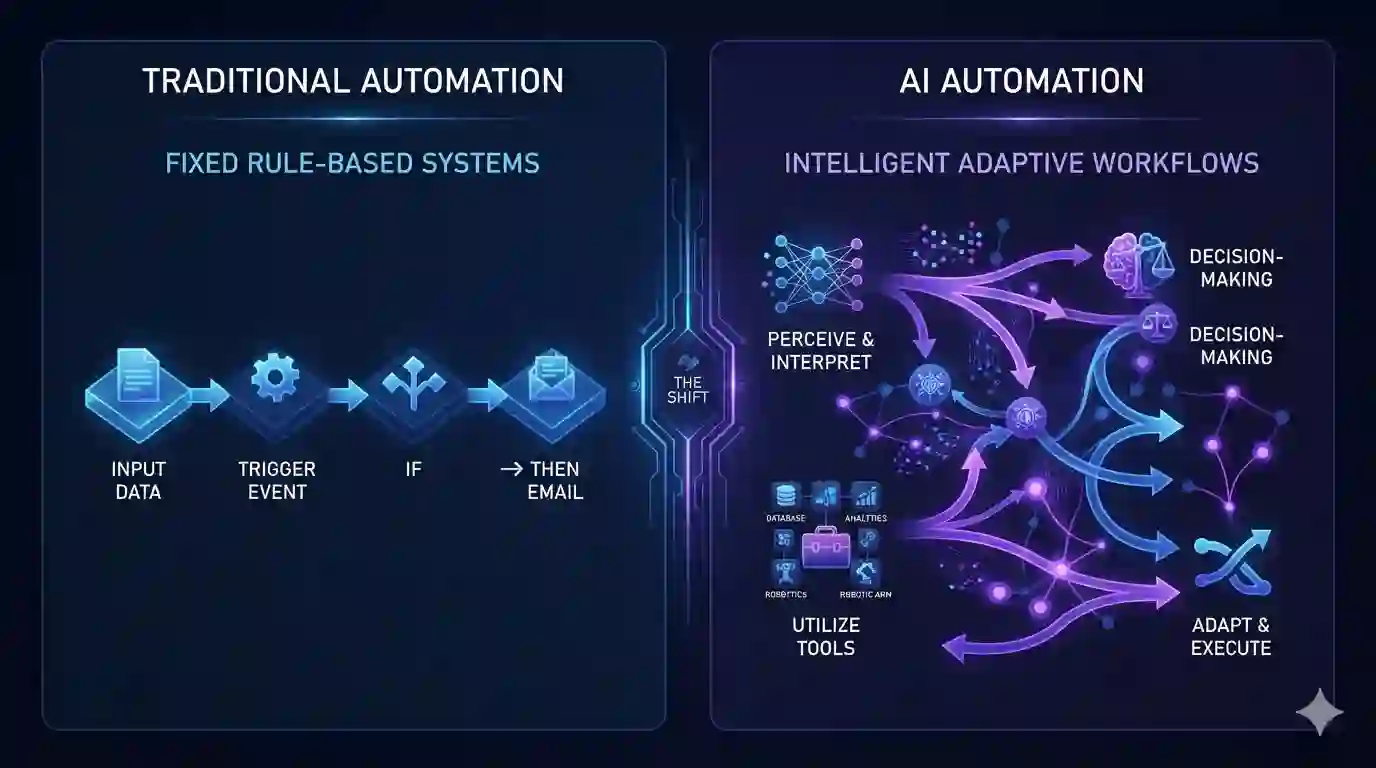
The two approaches aren’t competitors.
In many businesses, they work together.
| Traditional Automation | AI Automation |
|---|---|
| Rule-based | AI-assisted decisions |
| Predictable workflows | More flexible workflows |
| Predefined conditions | Natural-language understanding |
| Structured information | Structured + unstructured information |
| “If X, do Y” | Interpret → decide → act |
| Best for repetitive rules | Useful for complex knowledge tasks |
A strong modern workflow may actually combine both.
For example:
AI interprets the request → automation moves the data → AI analyzes the result → automation updates the system.
This combination can be much more powerful than either technology by itself.
Why AI Automation Is Growing in 2026
The business case for AI is shifting.
Companies are no longer interested only in using AI to write an email or summarize a document.
They increasingly want AI to participate in actual workflows.
OpenAI’s August 2026 enterprise report describes this transition as a move from assistance to execution, noting that organizations are expanding both where AI is used and what they ask it to do.
McKinsey’s latest 2026 State of AI research similarly examines how organizations are moving from experimentation toward capturing business value from AI.
This means the next stage of AI adoption isn’t simply:
“Let’s give employees an AI chatbot.”
It is increasingly:
“Where can AI become part of the workflow?”
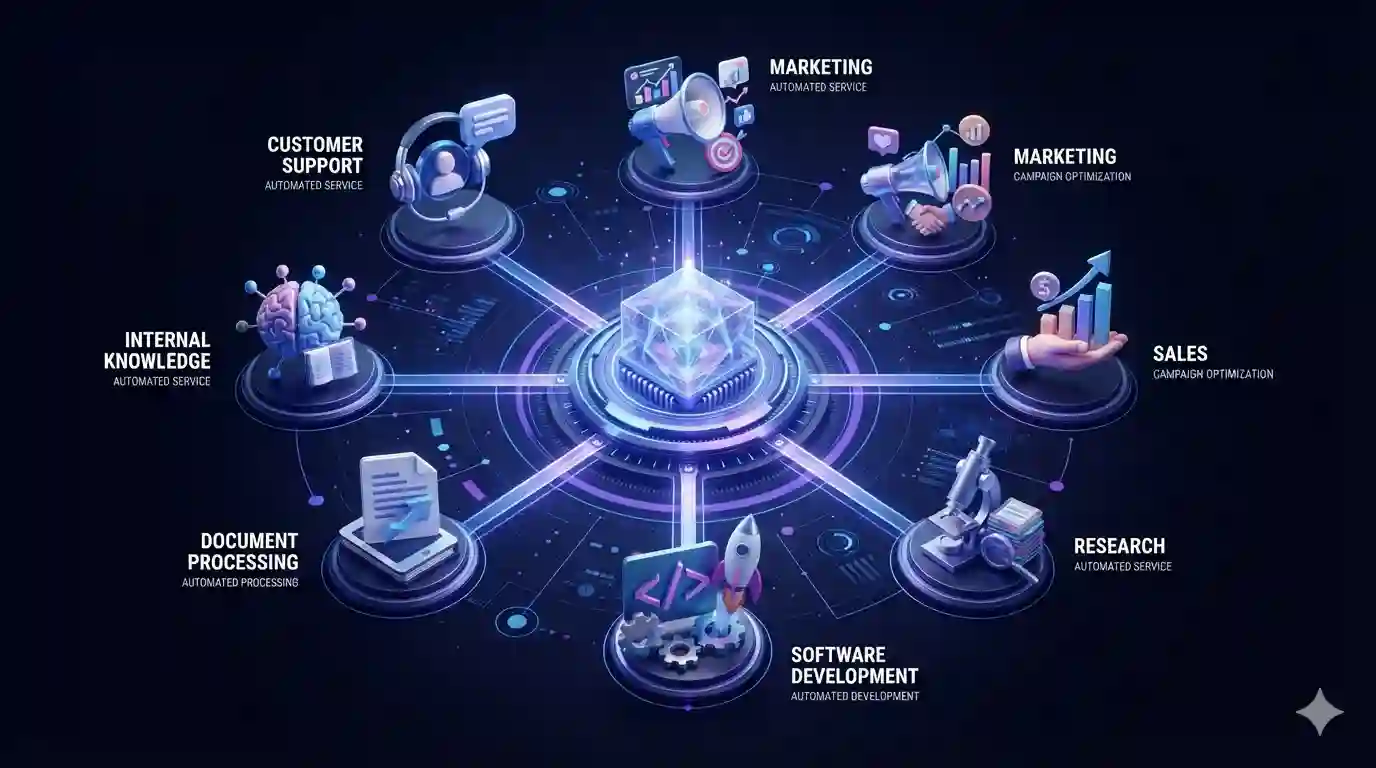
1. AI Automation for Customer Support
Customer service is one of the clearest applications.
An AI-powered support workflow can:
- Receive a customer message.
- Understand the request.
- Identify the customer’s intent.
- Search relevant documentation.
- Generate a response.
- Determine whether human assistance is necessary.
- Escalate complicated cases.
For simple questions, this can reduce repetitive work.
For complicated cases, AI can prepare information before a human agent takes over.
This creates a human + AI workflow rather than attempting to eliminate human involvement completely.
2. AI Automation for Marketing
Marketing teams deal with enormous amounts of repetitive work.
AI automation can help with:
- content research
- topic discovery
- keyword analysis
- social media drafts
- email personalization
- campaign analysis
- customer segmentation
- content repurposing
- competitor monitoring
- AI Search
- AI Search Optimization
For example, a marketing workflow could look like:
New article published → AI summarizes article → creates social media drafts → generates newsletter copy → prepares promotional content.
A human can then review and approve the outputs.
This approach allows marketers to spend more time on strategy and less time repeating the same production tasks.
3. AI Automation for Sales
Sales teams can also benefit from AI-powered workflows.
An automated sales workflow might:
- analyze incoming leads
- classify prospects
- summarize previous interactions
- identify potential opportunities
- draft personalized emails
- update CRM records
- prepare meeting summaries
Imagine a salesperson receiving a new lead.
Instead of manually researching the company and preparing notes, an AI system could collect available information and create a concise briefing.
The salesperson can then review the information before contacting the prospect.
4. AI Automation for Research
Research is another area where AI automation can provide significant value.
A research workflow might involve:
Question → Search → Collect information → Compare sources → Summarize → Produce report
AI can assist with several of these steps.
However, human verification remains important.
AI systems can misunderstand sources, miss important context or generate incorrect conclusions.
That’s why research automation should include:
- source verification
- human review
- citations
- audit trails
- clear responsibility
AI should accelerate research, not eliminate critical thinking.
5. AI Automation for Software Development
Software development is becoming increasingly connected to AI.
AI coding systems can help developers:
- write code
- explain existing code
- find bugs
- create tests
- refactor software
- document projects
- review changes
More advanced agentic coding systems can work through multi-step development tasks.
OpenAI has described agents as systems capable of operating independently for longer periods while orchestrating tool calls and interacting with environments.
That changes the role of AI from:
“Write this function.”
to:
“Investigate this issue, modify the relevant files, run tests and prepare the changes.”
Human developers still need to review important changes, particularly when systems have access to production environments.
6. AI Automation for Documents
Businesses process huge quantities of documents.
Examples include:
- invoices
- contracts
- reports
- applications
- forms
- emails
- proposals
- financial documents
AI can extract information from these documents and convert unstructured information into structured data.
For example:
Invoice received → AI extracts supplier, amount and date → validates information → sends data to accounting workflow.
This can reduce manual data entry while making document-heavy workflows more efficient.
7. AI Automation for Internal Knowledge
Another powerful application is company knowledge.
Businesses often have information spread across:
- PDFs
- emails
- databases
- documentation
- internal websites
- spreadsheets
- presentations
AI systems can help employees find relevant information without manually searching through dozens of files.
A well-designed internal AI system could answer:
“What is our process for handling this type of customer request?”
and provide an answer based on approved company information.
This is one reason connecting AI to company context is becoming increasingly important in enterprise deployments. OpenAI’s 2026 enterprise reporting specifically highlights the growing use of agents connected to organizational context, tools and repeatable workflows.
8. AI Automation for Small Businesses
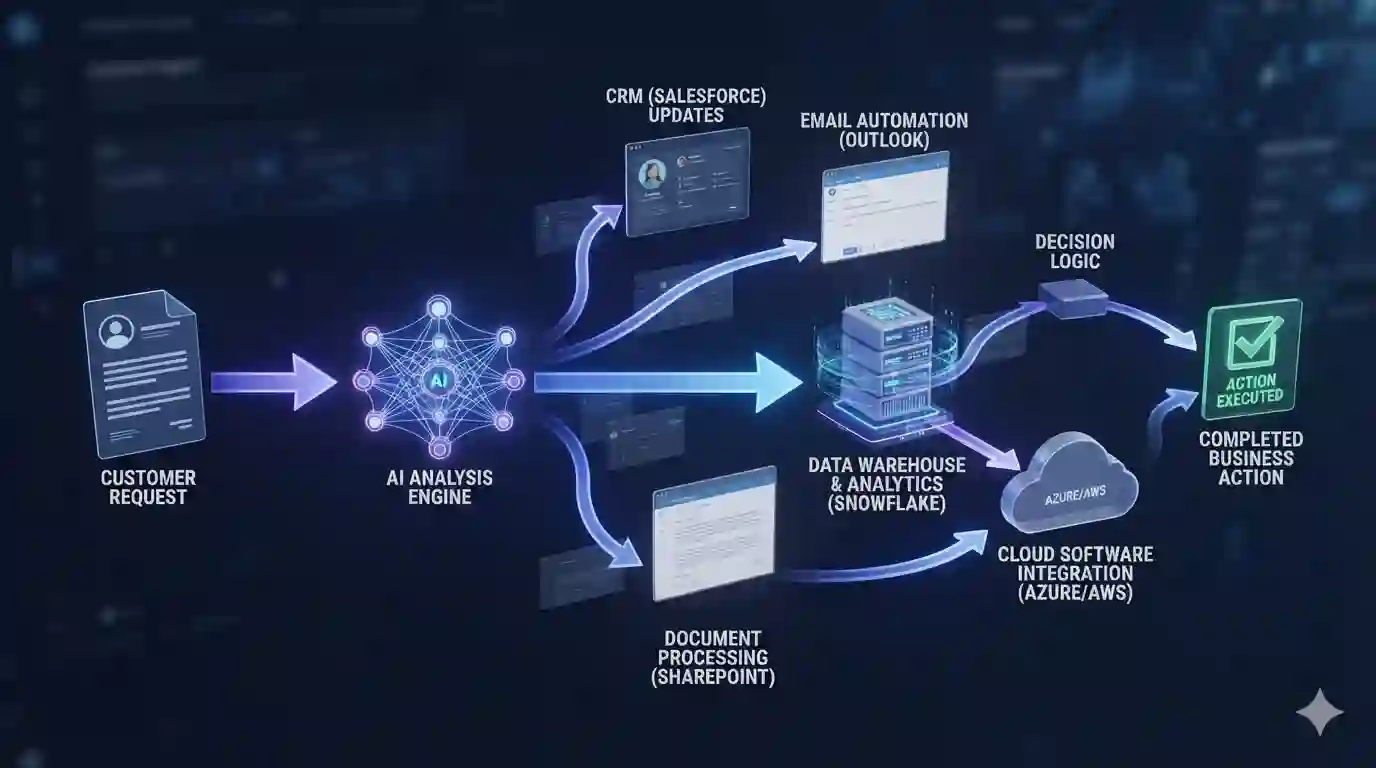
AI automation isn’t only for large corporations.
Small businesses can automate many repetitive tasks.
For example:
Lead management
Website form → AI qualification → CRM entry → notification
Customer support
Customer question → AI classification → knowledge lookup → response
Content marketing
Topic → research → draft → human review → publishing
Administration
Document → information extraction → spreadsheet/database → notification
The key is not to automate everything.
Instead, identify repetitive processes that consume significant time.
Choosing the right software is an important part of successful automation. If you’re exploring different solutions, our guide to 25 Best AI Tools to Try in 2026 provides a broader look at AI tools for writing, research, productivity, coding and other use cases.
AI Agents and AI Automation: What’s the Difference?
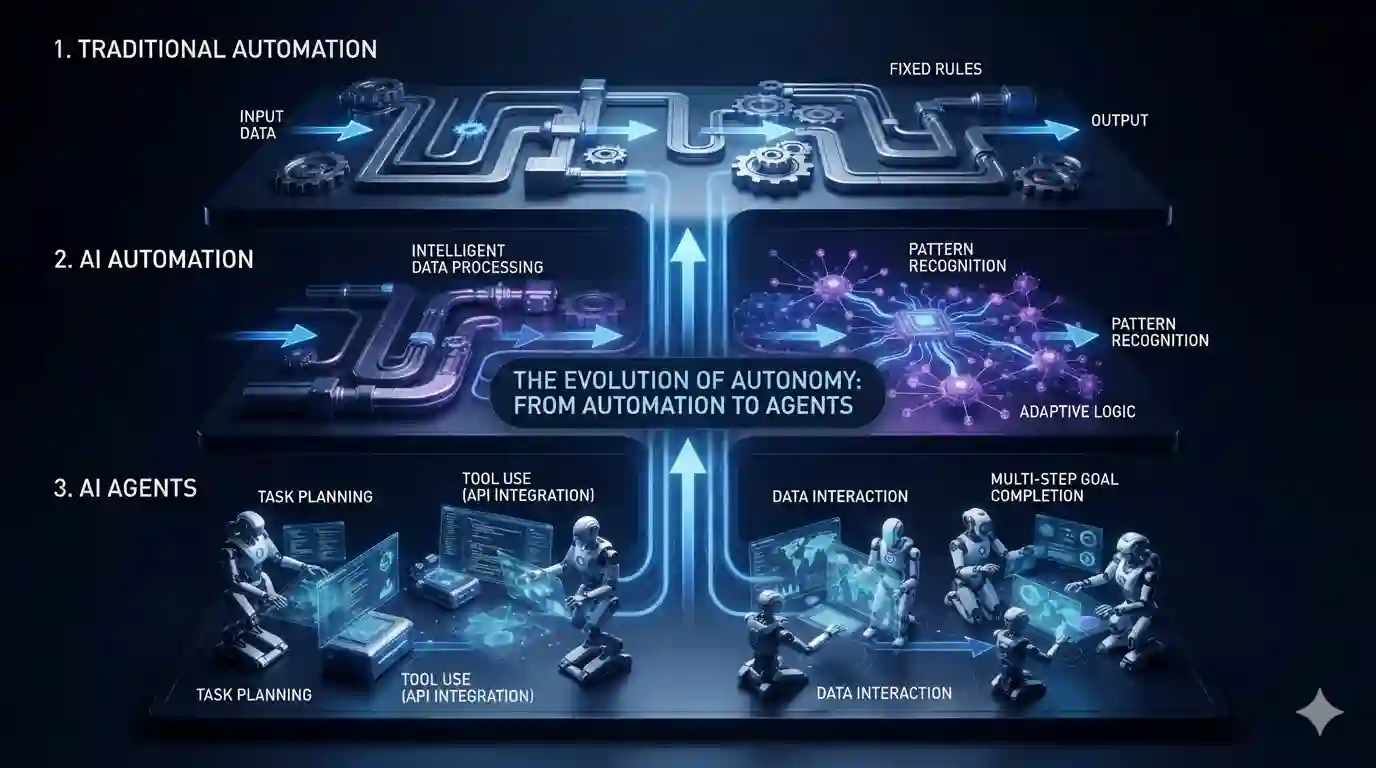
To understand the technology behind this shift in more detail, see our guide to AI agents in 2026, including how autonomous AI systems can plan tasks and interact with tools.
These terms are closely related, but they aren’t identical.
Automation generally refers to a workflow that performs tasks automatically.
AI automation adds AI capabilities to those workflows.
AI agents can go further by allowing systems to plan, use tools and take multiple actions toward a goal.
For example:
Traditional automation
When an invoice arrives, save it.
AI automation
When an invoice arrives, extract the important information and save it.
AI agent
When an invoice arrives, analyze it, verify the information, identify unusual items, prepare the accounting entry and request human approval if necessary.
This doesn’t mean agents should operate without controls.
The more autonomy an AI system receives, the more important permissions, monitoring and human oversight become.
The Benefits of AI Automation
Businesses are interested in AI automation because it can potentially improve several areas.
1. Productivity
Employees can spend less time on repetitive tasks.
2. Speed
Automated workflows can operate continuously rather than waiting for manual processing.
3. Scalability
A well-designed workflow can process increasing volumes without increasing manual effort at the same rate.
4. Consistency
Automated processes can follow standardized procedures.
5. Better Employee Experience
Employees can spend more time on higher-value work instead of repetitive administration.
But these benefits aren’t automatic.
Poorly designed AI workflows can create new problems.
The Risks of AI Automation
AI automation introduces risks that businesses need to consider.
Incorrect decisions
AI can make mistakes.
Data privacy
Sensitive company information may be exposed if systems aren’t configured properly.
Security
Connecting AI systems to business tools increases the importance of access controls.
Lack of oversight
Fully autonomous workflows can make mistakes at scale.
Hidden costs
AI usage can become expensive when workflows operate frequently or process large quantities of information.
Recent reporting on enterprise AI spending highlights that some organizations are still struggling to understand where AI budgets are going and which workflows are actually producing value.
Therefore, automation should be measured rather than adopted simply because it is technically possible.
How to Start With AI Automation
If your business is new to AI automation, don’t begin with the most complicated workflow.
Start small.
Step 1: Identify repetitive work
Find tasks employees perform repeatedly.
Step 2: Measure the current process
Record:
- time required
- frequency
- errors
- cost
- number of people involved
Step 3: Choose a suitable AI tool
Don’t choose a tool simply because it is popular.
Choose based on the actual workflow.
Step 4: Build a small test
Automate one part of the process first.
Step 5: Add human approval
For important decisions, keep a human in the loop.
Step 6: Measure the results
Compare the automated workflow with the original process.
Step 7: Scale gradually
Only expand once the workflow is reliable.

The Future of AI Automation
The biggest change may not be individual AI tools.
It may be the way those tools connect together.
Instead of using separate AI applications for writing, research, coding and analysis, businesses can increasingly create connected workflows where AI systems interact with business software and data.
This is closely related to the rise of agentic AI.
Google Cloud’s 2026 agent trends research describes agentic AI as an important area for transforming business operations.
OpenAI has similarly described agents as changing the unit of knowledge work from short interactions toward delegated, longer-horizon tasks.
The future therefore isn’t necessarily:
Humans vs AI.
It is increasingly:
Humans + AI + automation + software working together.
Final Thoughts
AI automation is becoming one of the most practical applications of artificial intelligence in 2026.
The goal isn’t simply to replace human work.
The better goal is to identify tasks where AI can handle repetitive analysis, information processing and workflow coordination while people remain responsible for judgment, creativity and important decisions.
For businesses, the opportunity is significant.
Start with one workflow.
Measure the results.
Keep humans involved where necessary.
Then expand.
The companies that benefit most from AI automation may not be those that automate everything.
They may be the ones that understand which parts of their work should be automated—and which parts should remain human.