

ChatGPT Review 2026: Is ChatGPT Still Worth Using?
Artificial intelligence has changed dramatically since ChatGPT first became popular.
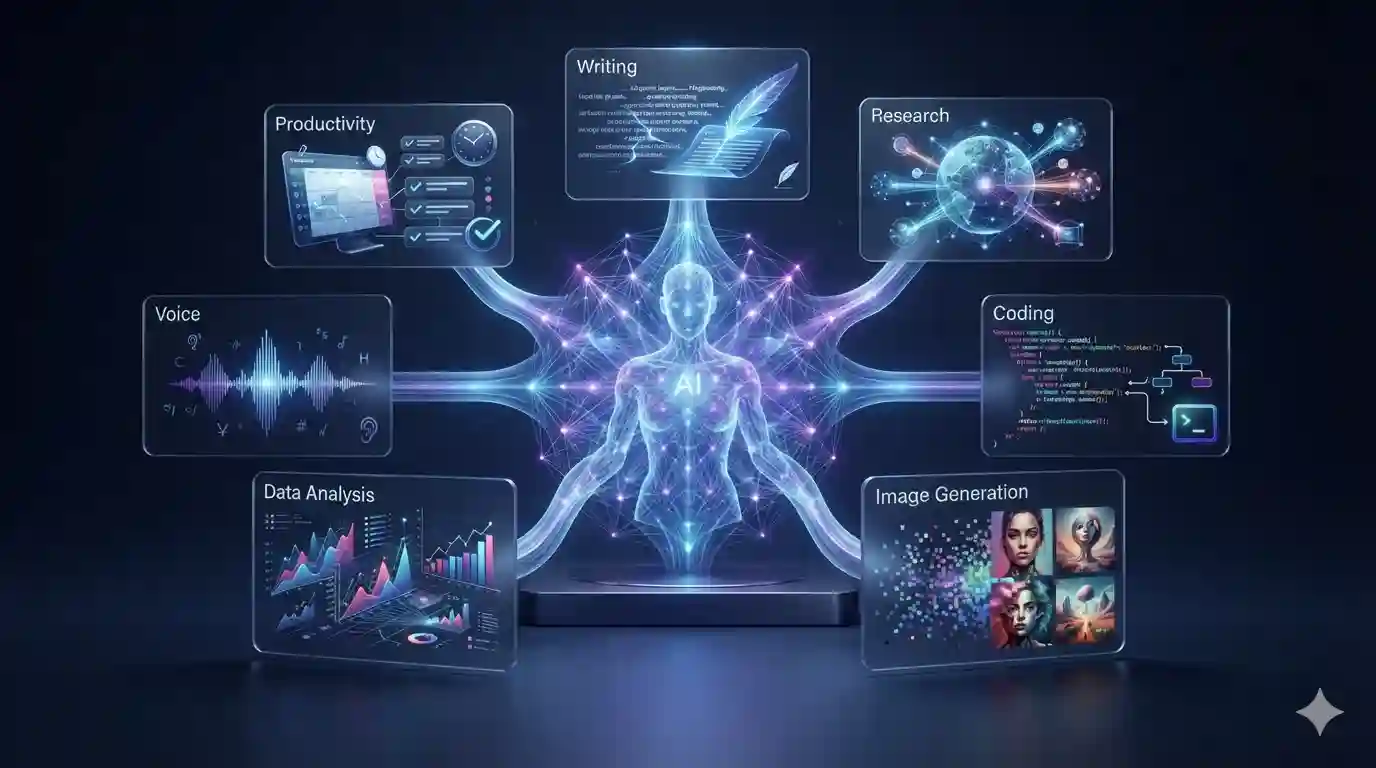
What started as a conversational AI chatbot has evolved into a much broader AI platform for writing, research, coding, image creation, analysis, voice conversations, file-based work and productivity.
In 2026, ChatGPT is no longer simply a tool you use to ask questions. It can become part of a much larger workflow for students, professionals, developers, creators and businesses.
But with dozens of AI products competing for attention, an important question remains:
Is ChatGPT still worth using in 2026?
In this ChatGPT review, we’ll look at its major capabilities, pricing, strengths, weaknesses, practical use cases and who should consider using it.
Quick verdict: ChatGPT remains one of the most versatile general-purpose AI platforms available in 2026. Its biggest advantage is breadth: users can move between writing, research, coding, image creation, analysis and other tasks without constantly switching between specialized tools.
What Is ChatGPT?
ChatGPT is an AI assistant developed by OpenAI.
It uses OpenAI’s GPT family of AI models to understand prompts and generate responses across different types of tasks.
Today, ChatGPT can be used for much more than text conversations. The official ChatGPT product supports tasks including answering questions, writing, creating images, working with files and coding.
This makes ChatGPT different from a traditional search engine or a simple writing assistant.
Instead of opening separate applications for every task, users can interact with one AI platform across a wide range of workflows.
What Can ChatGPT Do in 2026?
ChatGPT has become a broad productivity platform.
Depending on the features and plan available to you, it can help with:
- Writing and editing
- Brainstorming
- Research
- Coding
- Data analysis
- Document analysis
- Image generation
- Image understanding
- Voice conversations
- Web research
- Learning and education
- Business planning
- Content creation
- Summarization
- Translation
- Creative projects
OpenAI’s current product information describes ChatGPT as a platform for answering questions, writing, creating images, completing work and coding.
The exact capabilities and usage limits can vary by plan and can change as OpenAI updates the product.
ChatGPT Features
1. AI Writing
Writing remains one of ChatGPT’s most common use cases.
You can use it to help create:
- Blog posts
- Emails
- Product descriptions
- Social media posts
- Reports
- Scripts
- Headlines
- Outlines
- Business proposals
- Marketing copy
It can also rewrite existing material in different tones and formats.
For example, you could provide a rough business email and ask ChatGPT to make it:
- More professional
- Shorter
- More persuasive
- Friendlier
- Easier to understand
Our verdict
Excellent for brainstorming, drafting and editing—but human review is still important for accuracy, originality and brand voice.
ChatGPT’s development is part of a much larger transformation in artificial intelligence. Read our guide to The Biggest AI Trends Shaping 2026 to explore the technologies shaping the industry.

2. ChatGPT for Research
Research is another major ChatGPT use case.
ChatGPT can help users understand complicated subjects, summarize information and organize research.
Its web-search capabilities can also provide more current information than a model relying only on its underlying knowledge. OpenAI introduced ChatGPT Search specifically to provide timely answers with links to relevant web sources.
For more involved research tasks, OpenAI also provides Deep Research capabilities designed to conduct broader research and synthesize information.
Best uses:
- Topic research
- Competitor research
- Market research
- Literature discovery
- Fact checking
- Research summaries
- Comparing information
Important limitation
AI-generated research should not automatically be treated as fact.
For important claims, especially in financial, legal, medical or business contexts, verify information against reliable primary sources.
Our verdict
One of ChatGPT’s most useful capabilities when combined with source verification.
3. ChatGPT for Coding
ChatGPT has become increasingly useful for developers.
It can help with:
- Writing code
- Explaining code
- Debugging
- Finding potential errors
- Refactoring
- Generating scripts
- Understanding APIs
- Learning programming concepts
- Creating prototypes

OpenAI’s current model ecosystem also emphasizes coding and tool use, with its latest models supporting text and image input alongside other capabilities.
ChatGPT can be particularly helpful for beginners because you can ask it to explain a programming concept step by step.
For experienced developers, it can accelerate repetitive development tasks.
Our verdict
Very useful as a coding assistant, but generated code should always be reviewed and tested.
4. ChatGPT for Image Creation
ChatGPT has also moved beyond text into visual creation.
Users can create and edit images through ChatGPT’s image capabilities. OpenAI introduced an updated ChatGPT Images experience with improvements in image generation and editing.
In 2026, image generation can be useful for:
- Blog illustrations
- Social media graphics
- Marketing concepts
- Storyboards
- Product concepts
- Creative experiments
- Editorial imagery
For a publisher such as Future AI Insider, this can make it easier to create original visual assets for articles.
Our verdict
A valuable addition for creators who want text and visual generation in one workflow.
5. Voice Conversations
ChatGPT can also be used through voice interactions.
OpenAI says its newer voice experience is designed to provide more natural conversations, improved listening and visual responses.
Voice can be useful when typing isn’t convenient.
For example, you could use it while:
- Practicing a language
- Brainstorming
- Learning
- Asking quick questions
- Discussing ideas
- Working through a problem
Our verdict
A useful productivity feature that makes AI interaction feel more natural.
ChatGPT isn’t the only AI tool worth exploring. We’ve also compiled a list of the 25 Best AI Tools to Try in 2026.
6. File and Document Analysis
Another important capability is working with uploaded information.
Depending on the available features and plan, users can provide documents and other files and ask ChatGPT to analyze, summarize or transform the information.
Possible use cases include:
- Summarizing reports
- Extracting information
- Analyzing spreadsheets
- Reviewing documents
- Comparing files
- Creating summaries
- Finding patterns
This can save significant time when working with large amounts of information.
7. Deep Research
Deep Research is designed for more comprehensive research tasks.
Instead of simply answering a question immediately, it can investigate information across sources and produce a more detailed research result.
OpenAI describes Deep Research as a capability designed to conduct broader research, with subsequent updates adding more advanced browsing capabilities.
Best for:
- Market research
- Industry research
- Competitive analysis
- Academic exploration
- Complex questions
- Multi-source investigations
Our verdict
One of the more interesting capabilities for professionals who regularly conduct research.
8. ChatGPT for Business
Businesses can use ChatGPT for a wide range of tasks.
For example:
Marketing
- Content ideas
- Campaign brainstorming
- Customer research
- Social media content
- Email drafts
Sales
- Lead research
- Sales emails
- Proposal drafts
- Customer communication
Operations
- Process documentation
- Internal knowledge
- Data analysis
- Workflow planning
Customer support
- Response drafts
- FAQ creation
- Knowledge-base content
The key advantage is that AI can reduce the time spent on repetitive knowledge work.
However, businesses should establish clear policies around confidential information, data handling and human review.
ChatGPT Pricing in 2026
ChatGPT has multiple plans rather than one single subscription.
OpenAI’s current pricing page lists Free, Go, Plus and Pro consumer plans, with availability and features varying by plan.
Current US-listed prices on OpenAI’s pricing information include:
| Plan | Listed Price |
|---|---|
| Free | $0 |
| Go | $8/month |
| Plus | $20/month |
| Pro | From $100/month |
OpenAI notes that Go pricing can be localized in some markets, while its current Pro information includes multiple Pro tiers.
Important: AI plans, pricing, limits and included features change frequently. Always check OpenAI’s current pricing page before purchasing.
Check the official ChatGPT pricing page
ChatGPT Free vs Paid
One of the biggest questions for new users is whether they actually need a paid subscription.
ChatGPT Free
The Free plan is useful for people who want to:
- Experiment with AI
- Ask everyday questions
- Write content
- Brainstorm
- Learn
- Explore AI capabilities
It can be a good starting point if you only use ChatGPT occasionally.
Paid Plans
Paid plans generally provide broader access to advanced capabilities and higher usage limits.
For example, OpenAI describes ChatGPT Plus as providing broader model and tool access than Free for $20/month.
Who should consider paying?
A subscription may make more sense if you:
- Use AI every day
- Conduct extensive research
- Work with large projects
- Frequently create content
- Need higher usage limits
- Use advanced tools regularly
- Depend on AI for professional work
Our verdict
Start with Free. Upgrade only when the limitations begin affecting your workflow.
ChatGPT Pros and Cons
Pros
1. Extremely versatile
ChatGPT can handle many different categories of work.
2. Easy to use
You don’t need technical knowledge to get started.
3. Strong writing assistance
It can help draft, rewrite and organize content quickly.
4. Useful for coding
Developers and beginners can use it to understand and create software.
5. Multimodal capabilities
Text, images, files and voice can be part of modern ChatGPT workflows.
6. Useful for research
Search and research features can make information gathering easier.
7. Regularly updated
OpenAI continues to develop ChatGPT and its underlying models.
ChatGPT Cons
1. AI can make mistakes
Even advanced AI can produce incorrect information.
Never blindly trust an AI-generated answer for an important decision.
2. Features vary by plan
Some capabilities and usage limits depend on the plan you’re using.
3. Pricing changes
AI companies are rapidly changing their products, models and subscription structures.
4. It can produce generic content
If your prompts are vague, the result can sound generic.
Better instructions usually produce better results.
5. Human judgment is still required
AI can accelerate work, but it doesn’t eliminate the need for expertise.
ChatGPT vs Traditional Search
ChatGPT and search engines solve somewhat different problems.
Traditional search
You enter keywords and receive webpages that you can investigate.
ChatGPT
You can describe your goal conversationally and receive a synthesized response.
The two approaches increasingly overlap because ChatGPT can also search the web.
The best workflow isn’t necessarily choosing one over the other.
Instead:
Use AI to understand and organize information, then verify important claims using reliable sources.
Who Should Use ChatGPT?
ChatGPT can be useful for almost anyone who works with information.
Students
Useful for:
- Learning concepts
- Brainstorming
- Study assistance
- Summaries
- Practice questions
Writers
Useful for:
- Outlines
- Brainstorming
- Editing
- Rewriting
- Research assistance
Developers
Useful for:
- Coding
- Debugging
- Documentation
- Learning
Marketers
Useful for:
- Campaign ideas
- Content
- Customer research
- Marketing workflows
Business Owners
Useful for:
- Business planning
- Documentation
- Market research
- Communication
- Productivity
Creators
Useful for:
- Scripts
- Images
- Ideas
- Video planning
- Content repurposing
Who Shouldn’t Rely Too Heavily on ChatGPT?
ChatGPT isn’t a replacement for professional expertise.
You should be particularly careful when dealing with:
- Medical decisions
- Legal decisions
- Financial decisions
- Security-sensitive information
- Confidential business information
- High-stakes technical systems
AI can assist with understanding these subjects, but important decisions should involve qualified professionals and authoritative sources.
Is ChatGPT Good for SEO?
ChatGPT can be extremely useful for SEO workflows—but it shouldn’t be used simply to generate hundreds of generic articles.
A better SEO workflow is:
Keyword research → Search intent → Original research → Content structure → Human expertise → AI assistance → Fact checking → Editing → Internal linking → Optimization
ChatGPT can assist with:
- Topic research
- Content briefs
- Article outlines
- FAQs
- Title ideas
- Meta descriptions
- Internal linking ideas
- Content analysis
But high-quality SEO requires more than generating words.
For Future AI Insider, the goal should be publishing original, useful technology journalism and practical guides—not mass-producing AI-generated content.
Is ChatGPT Worth It in 2026?
For many users, yes.
The biggest reason isn’t any single feature.
It’s the combination of capabilities.
You can start with a question, move into research, create an outline, analyze a document, write content, generate visuals and refine the final result—all within an AI-centered workflow.
That’s what makes ChatGPT different from a simple chatbot.
However, whether you should pay for it depends on how often you use it.
If you use AI occasionally
Try Free first.
If you use AI every day
A paid plan may provide better value.
If you’re a professional
Evaluate the subscription based on the specific tools, limits and capabilities you actually need.
What Makes ChatGPT Different From Other AI Tools?
There are now many excellent AI applications.
Claude can be excellent for writing and analysis.
Gemini can be attractive for users deeply invested in Google’s ecosystem.
Perplexity focuses heavily on AI-powered search and research.
Specialized tools can be better for specific jobs.
ChatGPT’s major advantage is breadth.
It attempts to bring many different AI capabilities together inside one platform.
That makes it particularly useful as a general-purpose AI workspace.
The Future of ChatGPT
The direction of AI is moving beyond simple question-and-answer systems.
AI assistants are increasingly becoming capable of:
- Using tools
- Searching information
- Working with files
- Generating media
- Writing code
- Completing multi-step tasks
- Connecting information across workflows
This is part of the broader shift toward agentic AI.
Instead of saying:
“Tell me how to do this.”
The future is increasingly:
“Help me accomplish this.”
That distinction could fundamentally change how people interact with software.
Frequently Asked Questions
Is ChatGPT free in 2026?
Yes. OpenAI currently offers a Free plan alongside paid plans. The Free plan provides access to ChatGPT with usage and feature limitations that can differ from paid tiers.
How much does ChatGPT Plus cost?
OpenAI currently lists ChatGPT Plus at $20 per month. Features and limits can change over time.
Is ChatGPT worth paying for?
It can be worthwhile if you use AI frequently for research, writing, coding, analysis or other professional tasks. Casual users may find the Free plan sufficient.
Is ChatGPT better than Google?
Neither is universally better. Search engines are excellent for discovering webpages and sources, while ChatGPT is designed for conversational assistance, synthesis and completing tasks. ChatGPT can also search the web.
Can ChatGPT create images?
Yes. ChatGPT supports image creation and editing capabilities, although availability and limits depend on the current product and plan.
Can ChatGPT write code?
Yes. ChatGPT can assist with programming, code generation, debugging, explanations and development tasks.
Can ChatGPT browse the internet?
Yes. ChatGPT includes web-search capabilities that can provide more current information and links to relevant sources.
Is ChatGPT accurate?
ChatGPT can be highly useful, but it can still make mistakes. Important information should be verified against authoritative sources.
Can businesses use ChatGPT?
Yes. Businesses can use ChatGPT for tasks including writing, research, coding, analysis, marketing and productivity. Organizations should choose appropriate plans and establish policies for confidential or sensitive information.
Final Verdict: Should You Use ChatGPT in 2026?
Yes—if you understand what it is good at and where its limitations are.
ChatGPT has evolved from a simple conversational chatbot into a broad AI productivity platform.
Its strengths include:
- Writing
- Research
- Coding
- Image creation
- File analysis
- Voice interaction
- Brainstorming
- Productivity
- Business workflows
Its biggest weakness is also important:
AI isn’t automatically correct.
The best users don’t simply copy whatever ChatGPT produces.
They use it as a powerful assistant, verify important information, add their own expertise and make the final decisions themselves.
For everyday users, the Free plan is a sensible starting point.
For professionals who depend heavily on AI, a paid plan may be worthwhile depending on the required capabilities and usage limits.
Our rating
Overall: 9/10
Best for: General-purpose AI, productivity, writing, research, coding and creative work.
Bottom line: If you want one AI platform that can handle a wide range of tasks, ChatGPT remains one of the strongest options to consider in 2026.